[Overview of Results Collected During EUC Score Test Runs]
Thin Clients [2023]
Testing different thin client devices. In some cases, the results are compared with the lab reference Windows client NUC2. The test results presented here are a subset of the complete data sets collected during multiple thin client test sequences.
- Thin Client and AVD versus Windows Client and Local Host
- Thin Client Hardware Comparisons
- Windows 365 Cloud PC - Windows Client versus Thin Client
- Thin Client with Frame Remoting Protocol versus Windows Client with Remote Desktop Protocol
- Frame on IGEL OS (Chromium)
If you want to learn how the EUC Score results were produced then check out EUC Score Test Methodology and EUC Score Toolset.
Thin Client and AVD versus Windows Client and Local Host
 Benny Tritsch
 Markus Zehnle
 Florian Lauer
Test Goal
Explore the difference between an RDP connection from a thin client to an AVD session with a RDP connection from the Windows reference client NUC2 to the local reference host PC Lancelot.
Selected Sync Player Clips
| Simload Thumbnails | Links | VM Types | Clients | Links | Views | Observations |
|---|---|---|
|
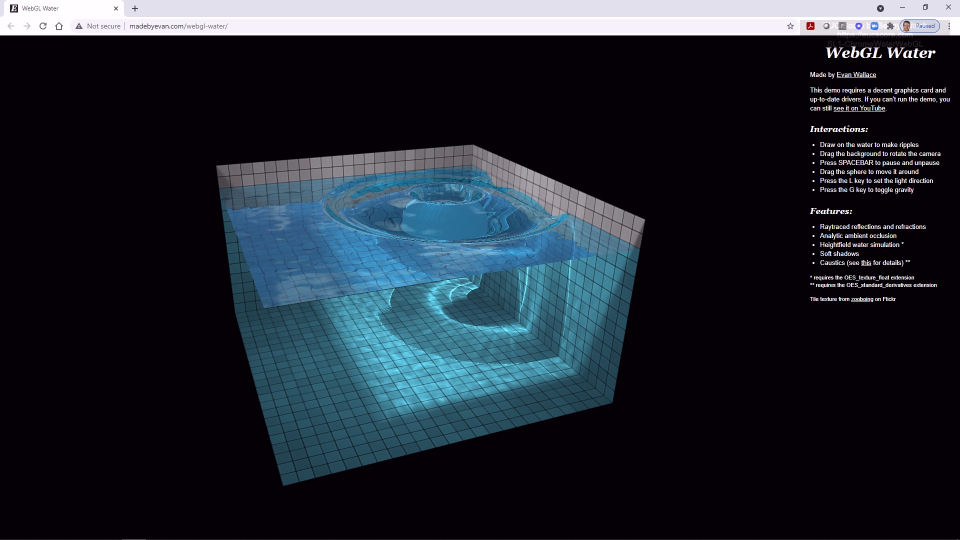
AVD NV6 vs Lancelot HP t640 vs NUC SL1-ChromeWaterWebGL [GPU8] Side-by-Side View |
Almost similar user experience due to almost identical host hardware specs, except for the number of CPU cores and clock speed. |
|
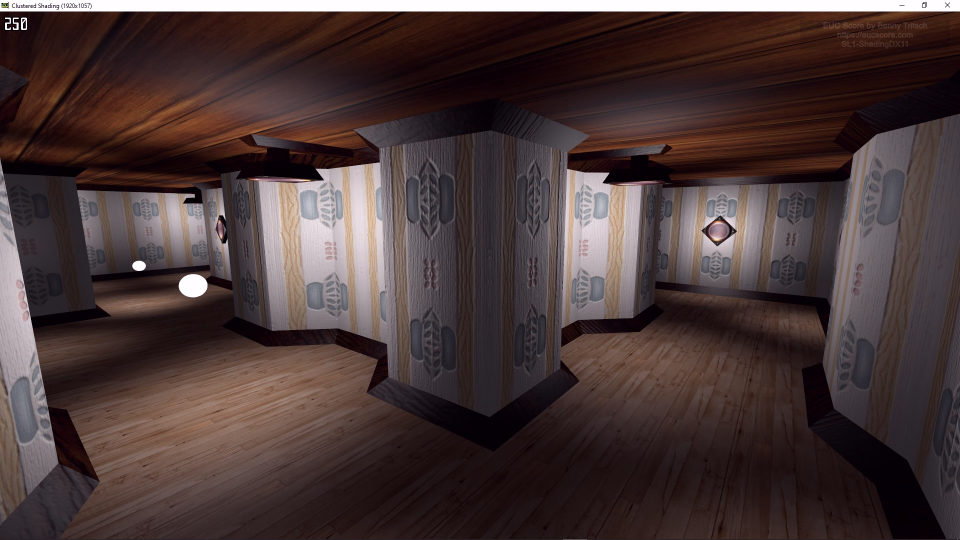
AVD NV6 vs Lancelot HP t640 vs NUC SL1-ShadingDX11 [GPU8] Side-by-Side View |
Almost similar rendering frame rate due to comparable GPU types, even if the number of CPU cores and the clock rates are different. |
Summary of Test Observations
The HP t640 thin client with IGEL OS 11.8 connected to an Azure Virtual Desktop NV6 VM provides a user experience that is very similar to a remote desktop session from the Windows reference client NUC2 to the local reference host PC Lancelot.
Test Setup Details
Thin Client and AVD
Windows Client and Local Host
System Under Test: Azure West Europe, AVD NV6 VM, Windows 10 Enterprise for Virtual Desktops, Intel Xeon E5-2690 v3 6vCPUs @ 2.60GHz, 56GB RAM, HDD 340GB, NVIDIA M60 GPU, 8GB VRAM.
System Under Test: Lancelot, Physical Lab Machine, Windows 11, Intel i7-11700K with 8 Physical Cores / 16Threads @ 3.6GHz, 64GB RAM, Crucial MX500 SSD 1TB, NVIDIA Quadro M5000 GPU, 8GB VRAM.
Connection: RDP-UDP, 15ms round trip time.
Connection: RDP-UDP, 20ms round trip time.
Endpoint: AVD client on HP t640 (4B6R6AA#ABD) with IGEL OS 11.08.230, AMD Ryzen Embedded R1505G @ 2.40GHz, 4GB DDR4 RAM, 32GB eMMC, AMD Radeon Vega 3 GPU.
Endpoint: RDC client on NUC2, Intel NUC 8i7HNK with Windows 11, i7-8705G CPU @ 3.10GHz, 16GB RAM, 500GB Samsung SSD 850 EVO M.2, AMD Radeon RX Vega M GL, 4GB VRAM.
Thin Client Hardware Comparisons
Test Goal
Compare the performance of different thin client types under IGEL OS 11.8 when connected to an Azure Virtual Desktop session.
Selected Sync Player Clips
| Simload Thumbnails | Links | VM Types | Clients | Links | Views | Observations |
|---|---|---|

|
AVD NV6 vs AVD NV6 HP t640 vs LG CL-600i-6N SL1-TessMarkOpenGL [GPU8] Side-by-Side View |
Without client GPU on the LG CL-600i-6N device, reduced user experience and disconnects (right side, colored in red). |
|
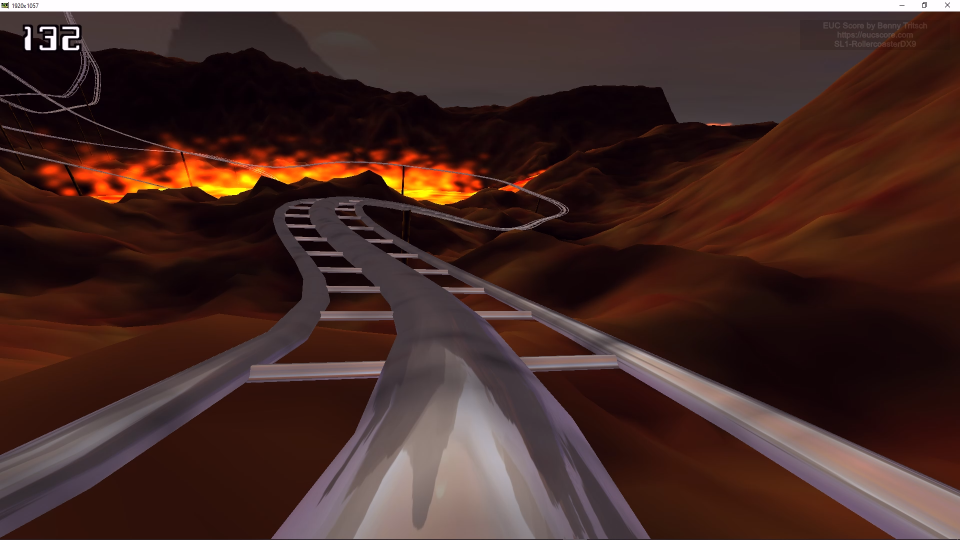
AVD NV6 vs AVD NV6 HP t640 vs IGEL UD3 SL1-RollercoasterDX9 [GPU8] Side-by-Side View |
Almost identical user experience due to almost identical client hardware specs. |
|
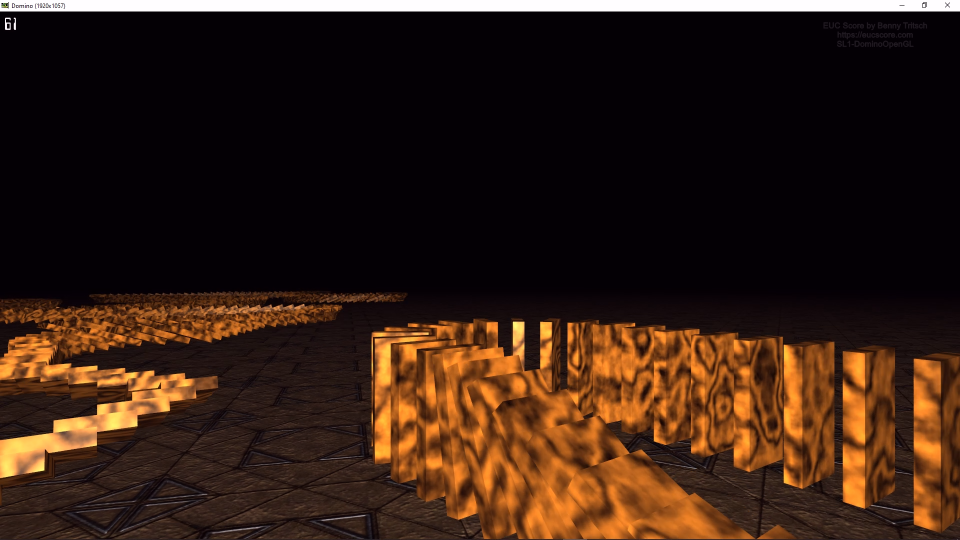
AVD NV6 vs AVD NV6 HP t640 vs IGEL UD3 SL1-DominoOpenGL [GPU8] Side-by-Side View |
Things go wrong on both side due to insufficient capacity of the NV4as v4 VM, including disconnect/reconnect situations. |
Summary of Test Observations
Under demanding graphics workloads, thin clients without a GPU cannot keep up with thin clients with an embedded GPU. But there are also test cases where bad performance is caused by insufficient AVD VM capacity.
Test Setup Details
HP t640
LG CL-600i-6N or IGEL UD3
System Under Test: Azure West Europe, AVD NV6 or NV4as v4 VM type.
System Under Test: Azure West Europe, AVD NV6 or NV4as v4 VM type.
Connection: RDP-UDP, 15ms round trip time.
Connection: RDP-UDP, 15ms round trip time.
Endpoint: AVD client on HP t640 with IGEL OS 11.08.230, AMD Ryzen Embedded R1505G @ 2.40GHz, 4GB DDR4 RAM, 32GB eMMC, AMD Radeon Vega 3 GPU.
Endpoint: AVD client on either LG CL-600i-6N or IGEL UD3 with IGEL OS 11.8.
Win365 Cloud PC - Windows Client versus Thin Client
Test Goal
Compare the performance when connecting to an entry-level Windows 365 Cloud PC from a Windows client or from a thin client.
Selected Sync Player Clips
| Simload Thumbnails | Links | VM Types | Clients | Links | Views | Observations |
|---|---|---|
|
Win365 vs Win365 NUC vs HP t640 SL1-MSOPptSimple [STD8] Side-by-Side View |
Windows 365 Cloud PC shows good enough performance for Task Worker activities, independently of the endpoint device. |
|
|
Win365 vs Win365 NUC vs HP t640 SL1-ChromeWaterWebGL [STD8] Side-by-Side View |
Windows 365 Cloud PC is not suited for graphics-intensive applications, independently of the endpoint device. |
Summary of Test Observations
The client device doesn't make a difference as long as the thin client and the Windows client have similar hardware specs.
Test Setup Details
AVD Client on NUC2 with Windows 11
AVD Client on HP t640 with IGEL OS
System Under Test: Azure West Europe, Windows 365 Business, Windows 11, Intel Xeon Platinum 8272CL 2vCPUs @ 2.6GHz, 8GB RAM, Microsoft Virtual Disk 128GB, no GPU, Remote Desktop Services SxS Network Stack.
System Under Test: Azure West Europe, Windows 365 Business, Windows 11, Intel Xeon Platinum 8272CL 2vCPUs @ 2.6GHz, 8GB RAM, Microsoft Virtual Disk 128GB, no GPU, Remote Desktop Services SxS Network Stack.
Connection: SxS RDP UDP, 30ms round trip time.
Connection: SxS RDP UDP, 30ms round trip time.
Endpoint: RDC client on NUC2, Intel NUC 8i7HNK with Windows 11, i7-8705G CPU @ 3.10GHz, 16GB RAM, 500GB Samsung SSD 850 EVO M.2, AMD Radeon RX Vega M GL, 4GB VRAM.
Endpoint: AVD client on HP t640 with IGEL OS 11.08.230, AMD Ryzen Embedded R1505G @ 2.40GHz, 4GB DDR4 RAM, 32GB eMMC, AMD Radeon Vega 3 GPU.
Thin Client over FRP versus Windows Client over RDP
Test Goal
Find out how good a remote connection is over Frame Remoting Protocol (FRP) from the Chromium browser of a thin client under IGEL OS 11.8. Use an RDP connection from the lab endpoint device NUC2 to the local host Lancelot as a reference.
Selected Sync Player Clips
| Simload Thumbnails | Links | VM Types | Clients | Links | Views | Observations |
|---|---|---|

|
NC4asT4-v3 (FRP) vs Lancelot (RDP) HP t640 vs NUC SL1-FurMarkOpenGL [GPU8] Side-by-Side View |
The performance of a "Cloud Workstation" with NVIDIA T4 GPU on a thin client over FRP is better than a local remote desktop with NVIDIA M5000 GPU over RDP. |
|
NC4asT4-v3 (FRP) vs Lancelot (RDP) HP t640 vs NUC SL1-MSEdgeAquariumWebGL [GPU8] Side-by-Side View |
The "Cloud Workstation" with NVIDIA T4 GPU on a thin client over FRP shows higher frame rate and better rendering performance when compared with a local remote desktop with NVIDIA M5000 GPU over RDP. |
Summary of Test Observations
The remote connection over FRP from the Chromium browser of the thin client outperforms the local reference setup with NUC2 client and Lancelot host. The major reason is the stronger GPU in the NC4asT4 v3 VM type used for the Frame session.
Test Setup Details
Thin Client over FRP
NUC2 over RDP
System Under Test: Azure West Europe, NC4asT4 v3 VM, Windows 10 21H2, AMD EPYC 7V12 (Rome) 4vCPUs @ 2.4GHz, 28GB RAM, 256GB + 176GB P-SSD, NVIDIA T4, 16GB VRAM, Frame Display Driver.
System Under Test: Lancelot, Physical Lab Machine, Windows 11, Intel i7-11700K with 8 Physical Cores / 16Threads @ 3.6GHz, 64GB RAM, Crucial MX500 SSD 1TB, NVIDIA Quadro M5000 GPU, 8GB VRAM.
Connection: FRP8 UDP, 7ms latency (= 14ms round trip time).
Connection: RDP-UDP, 20ms round trip time.
Endpoint: Chromium browser on HP t640 with IGEL OS 11.08.230, AMD Ryzen Embedded R1505G @ 2.40GHz, 4GB DDR4 RAM, 32GB eMMC, AMD Radeon Vega 3 GPU.
Endpoint: RDC client on NUC2, Intel NUC 8i7HNK with Windows 11, i7-8705G CPU @ 3.10GHz, 16GB RAM, 500GB Samsung SSD 850 EVO M.2, AMD Radeon RX Vega M GL, 4GB VRAM.
Frame on IGEL OS (Chromium)
Test Goal
Find out what the performance impact is on an Azure VM connection over Frame FRP from a Chromium browser in IGEL OS 11.8 when the assignment of the client GPU didn't work.
Selected Sync Player Clips
| Simload Thumbnails | Links | VM Types | Clients | Links | Views | Observations |
|---|---|---|
|
|
NC4asT4-v3 vs NC4asT4-v3 HP t640 (GPU) vs HP t640 (no GPU) SL1-TessMarkOpenGL [GPU8] Side-by-Side View |
Without GPU acceleration on the thin client, performance sucks. This means that the client GPU acceleration really matters. |
|
|
NC4asT4-v3 vs NC4asT4-v3 HP t640 (GPU) vs HP t640 (no GPU) SL1-ShadingDX11 [GPU8] Side-by-Side View |
Without GPU acceleration on the thin client, performance sucks and the session disconnects. This means that the client GPU acceleration really matters. |
Summary of Test Observations
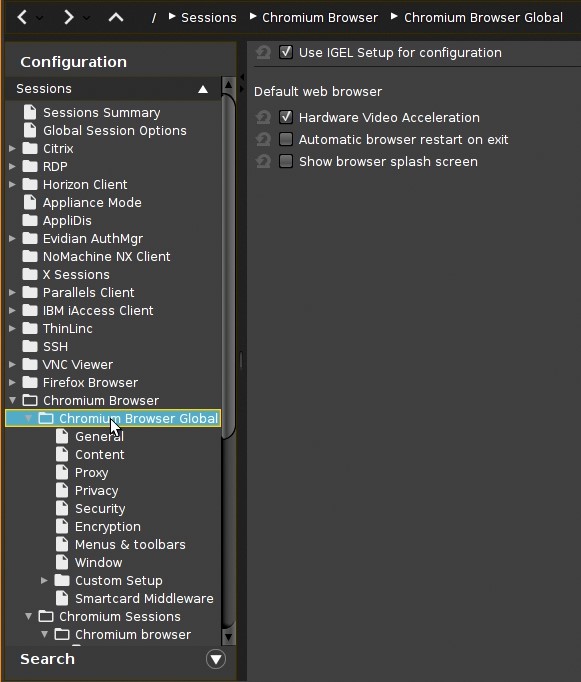
The default settings in IGEL OS 11.8 overwrite the assignment of the client GPU to the Chromium browser. Without GPU, the client cannot decode the incoming remote desktop datastream without regular freeze frames. For configuration details, check out the screenshots below.
Test Setup Details
Chromium with GPU Acceleration
Chromium without GPU Acceleration
System Under Test: Azure West Europe, NC4asT4 v3 VM, Windows 10 21H2, AMD EPYC 7V12 (Rome) 4vCPUs @ 2.4GHz, 28GB RAM, 256GB + 176GB P-SSD, NVIDIA T4, 16GB VRAM, Frame Display Driver.
System Under Test: Azure West Europe, NC4asT4 v3 VM, Windows 10 21H2, AMD EPYC 7V12 (Rome) 4vCPUs @ 2.4GHz, 28GB RAM, 256GB + 176GB P-SSD, NVIDIA T4, 16GB VRAM, Frame Display Driver.
Connection: FRP8 UDP, 7ms latency.
Connection: FRP8 UDP, 7ms latency.
Endpoint: HP t640, IGEL OS 11.8, Chromium browser with Hardware Video Acceleration.
Endpoint: HP t640, IGEL OS 11.8, Chromium browser without Hardware Video Acceleration.
Use IGEL Setup for configuration enabled
Use IGEL Setup for configuration disabled
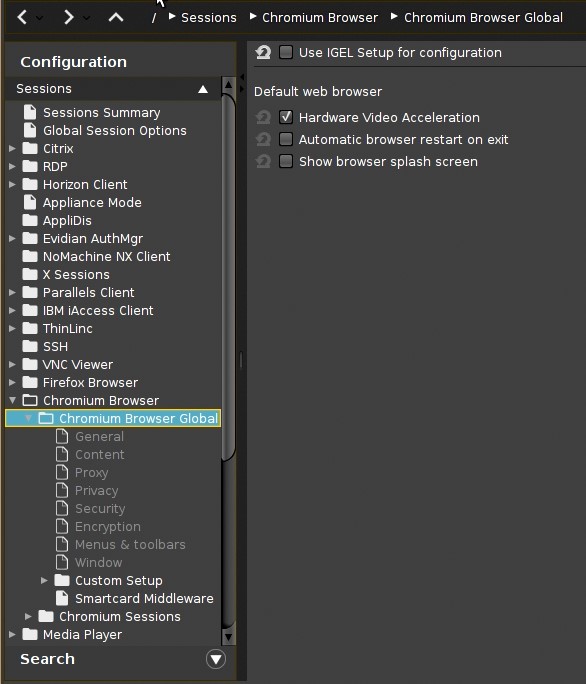
Disabled default settings (right) result in a significantly better user experience while the overall load on the backend is the same on both sides. Optimizing the thin client settings can make a huge difference!